When you click on links to various merchants on this site and make a purchase, this can result in this site earning a commission. Affiliate programs and affiliations include, but are not limited to, the eBay Partner Network.
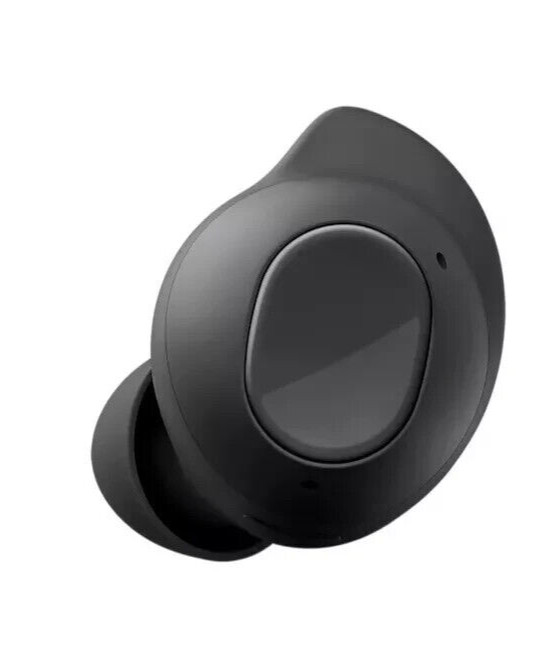
SamSung Buds FE
Original ReplacementBuds FE SM-R400by Sam Sung
LEFT SIDE / Right SideorCharging Case Only (no buds) or 10 PCS EARTIPS see pictures ( 4 ear wing. 6 ear tips)CONDITION:
Open Box - Item is like new Condition .No Scratches .
Item has been fully inspected, tested and works great!
sale is for a single, replacement earbud (left or right) OR replacement charging case only.
EARTIP ATTACHED ONE RANDOM SIZE.
NO WING TIPS.
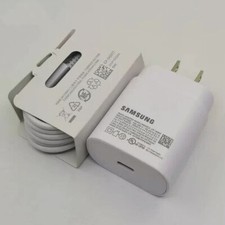
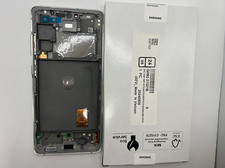
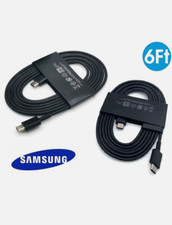
NO CABLES, NO ACCESSORIES, NO RETAIL BOX
Tips for set up:
The VIDEO :
style="max-width: 100%; margin: 0px; padding: 0px 0px 15px; vertical-align: top; overflow-wrap: break-word;"> Please fully charge buds and charging case until they start to pair!
Before you try out therecommendations below, be sure to check if your device's software and relatedapps are updated to the latest version. To update your mobile device'ssoftware, follow these steps:
Step 1.GotoSettings> Software update.
Step 2.TaponDownload and install.
Step 3.Follow theon-screen instructions.
Note:The earbuds thatyour are trying to couple/link should be the same model and of opposite sidese.g.Galaxy Buds Proleft earbud can only be coupled with aGalaxy Buds Pro right earbud
How to sync the earbuds to eachother.
If you recently damaged or lostone of your earbuds set and bought a replacement, you can easily connect theoriginal earbud to the newly purchased earbud.Coupling is required toadjust the volume and delay between both earbuds. Follow the steps below toself-couple your earbuds.
Step 1.Check thedirection of each earbud, the newly purchased earbud and original earbud, andcorrectly insert them into their corresponding slots in the charging case.
Step 2.Touch and holdboth earbuds touch areas for 7 seconds or more. The earbuds battery indicatorlight will flash green and then return to the initial light. Then, the earbudsare coupled.
Step 3.When the earbudsare coupled, you will be able to reconnect to your compatible devices.
Find out more about how toconnect your Galaxy Buds via the Galaxy Wearable app at ‘How to connect and update Galaxy Buds+ with GalaxySmartphone’ with Samsung Support.
Note:The batteryindicator on the charging case will keep flashing red when the earbuds are notcoupled properly. Remove the earbuds from the charging case and insert themagain.
Additional Tip forself-coupling your earbuds
If you cannot complete couplingwith a new earbud, make sure theBlock touchesfeature of the originalearbuds is disabled on the Galaxy Wearable app. Try disablingBlocktouchesby following the steps below.
Step 1.OpentheGalaxy Wearablea
Step 2.Tap the switch todisableBlock touches.
Additional Tip forself-coupling your earbuds
If you cannot completecoupling with a new earbud, make sure theBlocktouchesfeature of the original earbuds is disabled on the GalaxyWearable app. Try disablingBlocktouchesby following the steps below.
Step 1.Open theGalaxyWearableapp.
Step 2.Tap the switch to disableBlocktouches.
CAN NOT PAIR WITH SAMSUNG BUDS LIVE R180, BUDS2 R177, BUDS Pro R190. THIS IS BUDS FE R400
we records the serial Number of each of our products
PLEASE do not attempt to buy & return something different
What's Included :
SAMSUNG Buds FER400LEFT OR RIGHT EARBUDor CHARGING CASE
Terms & Conditionsusps shipping fee is non refundable when you return item.response:•If you have any questions or concerns,please contact us before leaving a negative response, we are here tohelp you and offer the best supportwe can.•If, for any reason you are not satisfied with your purchase, please contact us via Message and we will do our best to resolve it.Please don't leave neutral or negative response without any communication with usPayment:All payments are processed through 's managed payments. Forms of payment accepted are PayPal, G Pay, Apple Pay, VISA, Mastercard, American Express, and Discover.•We ONLY ship to confirmed addresses, please make sure your shipping address is correct before buying an item.Shipping:•We try our best to ship out all items within the same day and no later than one business day after payment is cleared•Orders placed on the weekend or holidays will be shipped on Monday or the next working day•We do not ship internationally.•PLEASE NOTE: Tracking numbers are not immediately active - please allow up to 48 hours for numbers to update within shipper's tracking systems.Replacement/Exchange:•All return items should be in original packaging and returned within 30 days after you received it.The item needs to be returned in the similar cosmetic condition (serial numbers are tracked).If the item is match with description, but doesn't fit , change mind, didn't like item , found better price or was ordered by mistake etc. we will deduct the 25% restocking fees from this transaction.•We will process returns on same day when requested.. We will check all returned item serial# or part# before process refund or exchange.