When you click on links to various merchants on this site and make a purchase, this can result in this site earning a commission. Affiliate programs and affiliations include, but are not limited to, the eBay Partner Network.
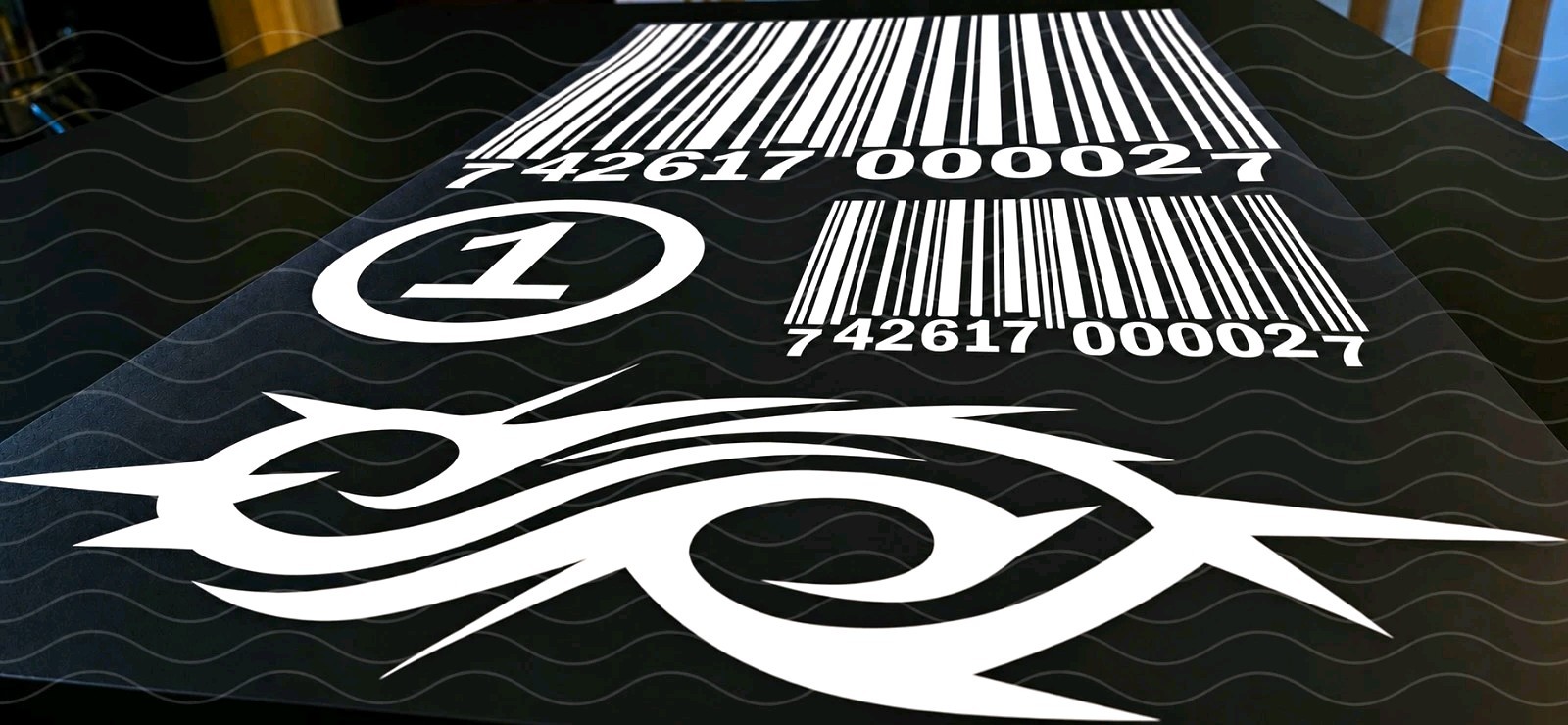
IRON-ON LOGOS ONLY! *Jumpsuit NOT INCLUDED!LOGO MEASUREMENTS:
Front Barcode = 5.06\" × 4.33\"
Back Barcode = 11.37\" × 12.45\"
Encircled Sleeve Number = 4.3\" × 4.3\"
Tribal S Logo = 4.04\" × 11.35\"IRON ON VINYL DECAL INSTRUCTIONS:
Preheat the garment by pressing our ironing briefly.Place the garment on a hard, flat, heat resistant surface. Iron the application area for about 5 seconds to remove moisture and wrinkles.Position the decals to your liking
Place the decal vinyl side down, with the clear carrier sheet facing up. Make sure it is straight and exactly where you want it.Apply heat
Set the iron to approximately 300 to 320°F (150 to 160°C), usually a medium to medium high setting. Turn steam OFF.Press firmly
PRESS THE IRON WITH A PIECE OF PARCHMENT PAPER, TEFLON SHEET OR THIN CLOTH TOWEL IN-BETWEEN IRON AND GARMENT.Press evenly until the entire design has received even heat and pressure.
If using a heat press, press for 15 seconds at 310 degrees fahrenheit..Peel the carrier
Allow the decal to cool slightly, then carefully peel away the clear carrier sheet. If any part of the vinyl lifts, lay the carrier back down and press that area again for 5 to 10 seconds.Final press
Cover the design with parchment paper or a clean cotton cloth and press again for approximately 5 seconds.AFTERCARE
Wait 24 hours before washing. Wash the garment inside out in cold or warm water. Avoid bleach and fabric softener. Tumble dry low or hang dry. Do not iron directly over the vinyl.Important: Heat settings vary by vinyl type and fabric. Polyester, nylon, waterproof fabrics, and specialty materials may require lower temperatures. If possible, test a small hidden area first.



![Slipknot - Slipknot [New Vinyl LP] Colored Vinyl picture](/store/img/g/8xsAAeSwoI1pHb3i/s-l225/Slipknot-Slipknot-New-Vinyl-LP-Colored-Vinyl.jpg)