When you click on links to various merchants on this site and make a purchase, this can result in this site earning a commission. Affiliate programs and affiliations include, but are not limited to, the eBay Partner Network.
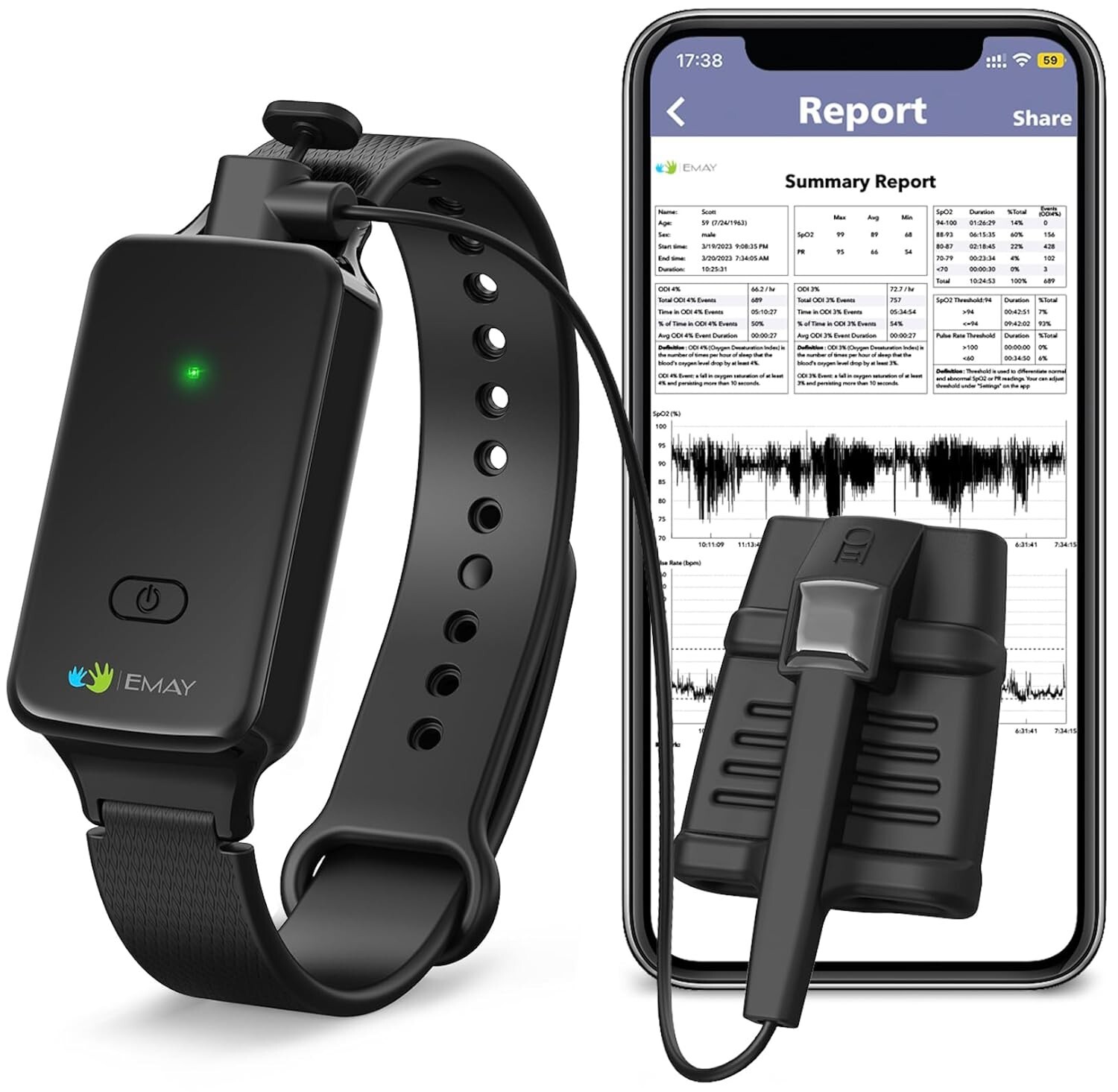
- The device itself has built-in data storage to record SpO2 & Pulse Rate continuously throughout the night without a smartphone. Rechargeable with 10 hours battery life (continuous recording) after fully charged.
- View your real-time readings on the EMAY app anytime while the device is recording.
- Lightweighted device (20g only) and ulltra-soft patented finger probe ensures a sound sleep.
- EMAY app to download, review and share the detailed data & professional report easily & unlimitedly.
- Notice: Take your finger out of the probe/sensor first before connecting with bluetooth to download data. Adapter specification: Output voltage: DC 5V / Output current: 1000 mA
1. DescriptionEMAY Wrist Sleep Oxygen Monitor is specially designed totrack your blood oxygen staturation levels (SpO2) & heart rate overnight. It’s equipped with 48 hours built-in memory andrechargeable lithium battery. The iOS/Android app provided allows you to download thedata via bluetooth. You are able to review historical data second by second,export CSV file and generate sleep report on the app.
3. How to Use ?
3. 3.1 Set date & time on yourmonitor for the first-time use 3.1.1 Install “EMAY Pulse Oximeter” app from App Store/ Google Play on yoursmartphone.
4. Download App for iOS
Download App for Android
5. 3.1.2 Turn on theBluetooth on your phone, launch the app and set up your profile. (Remember toselect yes for all the permissions asked. The app is for offline use only, yourdata & privacy will be completely safe) 3.1.3 Turn on the monitor by continue pressing down firmly on the power buttonuntil you see a green light. 3.1.4 Tap “Connect” on the App. When the syncing completes or the message “nonew data” shows, you have completed the date & time setup on your monitor.(Remember to take your finger out of the sensor when trying to connect withApp)
6. 3.2 Start your journey ofovernight recording.
7. 3.2.1 Plug the SpO2 sensoronto the monitor. 3.2.2 Wear the monitor on your wrist and then turn it on. (Green light flashingindicates it\'s on. The monitor will shut off automatically after three minuteswithout any operation) 3.2.3 Insert your finger into the probe (deep inside but not penetrate), and ina few seconds, the blinking green light will become solid indicating therecording begins.
8. 3.2.4 That’s it ! You cannow go to sleep wearing the oximeter throughout the night.
• Do not take your finger out of the probe during the whole recording process,otherwise the recording might be separated into several sessions.
• No smartphone/app is required for the recording as the device itself hasbuilt-in data storage.3.2.5Since the device doesn\'t havescreen display, if you want to view your real-time oxygen levels from time totime during the recording process, just open the EMAY app and tap \"Connect\"button to get the real-time readings displayed. Close the display by tappingthe “Disconnect” button.
• Your finger must stay inside the probe in order to get the real-time readingsdisplayed on the app.
• Closing the app/display will not affect the device recording as long as yourfinger stays inside the probe and solid green light is on.
9. 3.2.6 To end the devicerecording in the morning, you will first need to remove the probe from yourfinger, then open the EMAY app and click \"Connect\" to downloadthe recorded session from last night. Or you can simply turn off the unit anddownload the data later at your convenience.
• To download the recorded session to the app, you must first remove the probefrom your finger before clicking \"Connect\".
• Also DO NOT charge the device when trying to download data.
• The device’s data will be cleared automat- ically once it’s downloaded to theapp.
10. 4. How to Clear the Memoryfrom the Device ? The oximeter data will be deleted automatically once they are downloaded to theapp.
Important Notes:
1. The device is not for spot check purpose,so there’s no screen/display on the device itself.
2. The default time of the device is 2000-01-01, pleaseconnect your device to the app to update its date/time for the first-time use.
3. The device is intended for reference only, not formedical use or diagnostic purpose.
Package Contents• Wrist Sleep Monitor * 1
• Silicone SpO2 Sensor * 1
• USB charging cable * 1
• User Manual * 1