When you click on links to various merchants on this site and make a purchase, this can result in this site earning a commission. Affiliate programs and affiliations include, but are not limited to, the eBay Partner Network.
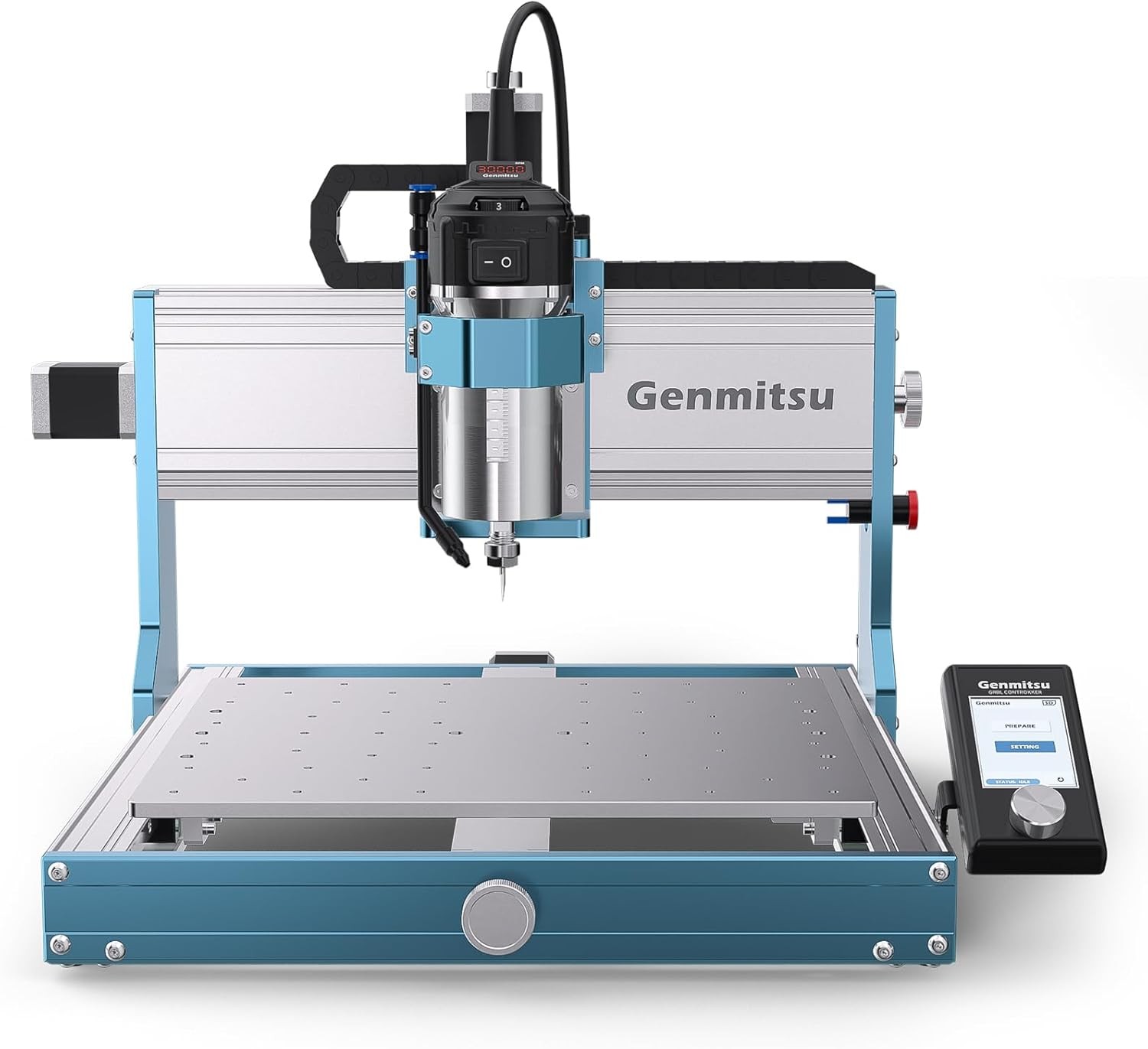
Genmitsu Nav + 3030-PROVer Ultra Product
- Pro Serious ▾ 4040 Pro Max 4040 Pro 3020 Pro Ultra 3018 Pro Cubiko
- Prover Serious ▾ 3030 Prover Ultra 3018 PROVER V2
- PROVerXL Serious ▾ PROVerXL 2X2 PROVerXL 4X4 PROVerXL 4030 V2 PROVerXL 4030S PROVerXL 6050 Plus PROVerXL 4030
- Laser Machine
- Accessory ▾ Spindle Upgrade Extension Kit & Spoilboard Laser Parts Dust Collection Clamps Control Parts
Fast & Free Shipping | Official Warranty | 100% Responsive Support Featured · New Release Introducing 3030-PROVer Ultra CNC Router Machine
Fed up with wobbly cuts, lopsided finishes, underpowered spindles, and confusing setups that suck the fun out of your creativity?
Say hello to your new CNC workhorse — the upgraded Genmitsu 3030-PROVer Ultra. Built for DIYers, hobbyists, and pros who want professional results without the professional headache. Whether you\'re doing intricate engravings or heavy-duty metal cutting, this machine brings consistency, durability, and ease of use that outshines the rest.
Compatible Software
Compatible with Windows, Linux, and Mac, supporting GRBL-compatible software such as UGS, Fusion360, VCarve, Easel, and Lightburn etc.
What\'s in the box
- Y-Axis Module
- XZ-Axis Module
- 710W Compact Router Kit
- Spindle Motor Mount (65mm)
- Offline Controller
- Power Supply
- USB A-to-B Cable
- 3.5m Router Cable
- Power Cord
- Z-Probe Kit
- Air Cooling Hose Kit
- Tool Box
FAQs How do you create the design file that tells the CNC what to do? Is that done in GRBL software?
There are three steps to mill something.
1. CAD software to 3D model the part.
2. CAM to generate the GCode for toolpaths.
3. GRBL to send to the router — or put the GCode on a memory card and run it on the router.
For the three types of software, we recommend:
CAD: Easel, Fusion 360, Carveco Maker
CAM: Easel, Fusion 360, Carveco Maker
Control software: UGS, Candle, Easel, Fusion 360
Do you need a computer to run this router?
It comes with an offline controller. You can copy the G-code from your computer to the SD card of the offline controller and then run the router without a computer.
I sent code to the machine and it moves but the motor doesn\'t spin. I click the spindle command and it starts spinning but will not move X, Y — only Z in the up direction. Why?
First, make sure you are zeroed at X, Y, and Z before sending the code. When you send your code, watch the upper Z-axis limit switch — there is a good chance that it is actuating.
If that is the case, type $21=0 in the Grbl command line. This disables the limit switches. Re-zero and run the program — this should solve the problem.
Genmitsu · Tool Nerd Shop 3030-PROVer Ultra · CNC Router Machine