When you click on links to various merchants on this site and make a purchase, this can result in this site earning a commission. Affiliate programs and affiliations include, but are not limited to, the eBay Partner Network.
Luxafor Bluetooth PRO Specifications
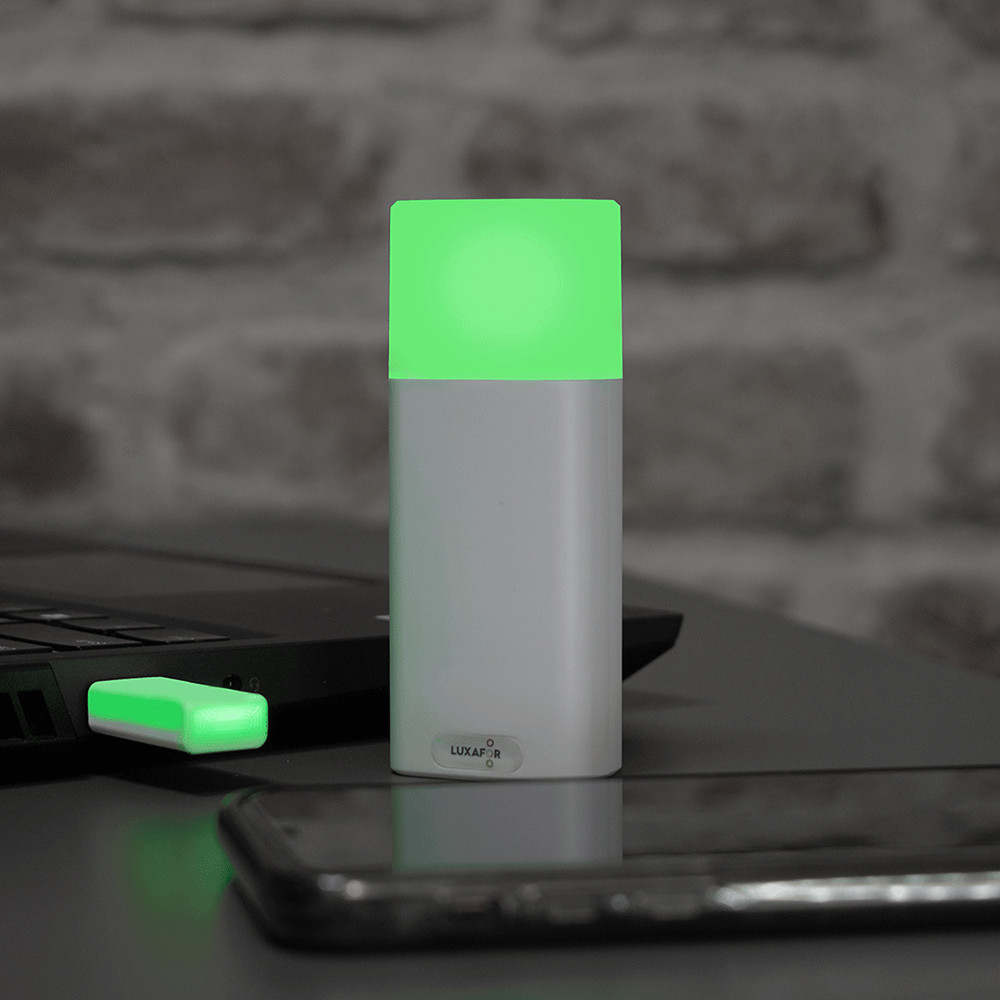
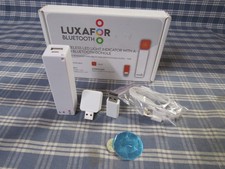
Luxafor Bluetooth PRO busy light with a built-in battery Dimensions: 98 x 37 x 22 mm (3.85 x 1.45 x 0.86\")
Weight: 75g
Light: 2 x RGB LEDs
Consumption: Rated power up to 80 mA
Charging: With a standard Micro USB-C data cable (included)
Built-in 2600 mAh battery
Working time: 80h - 12 months depending on brightness and working mode
Bluetooth 5.2 Radio with supported LE coded PHYLuxafor Dongle Dimensions: 42 x 18 x 8 mm( 1.65 x 0.70 x 0.31\" )
Weight: 8 g
Light: 2 x RGB LEDs
Consumption: Rated power up to 80 mA
USB powered
Operation range: up to 80 meters (~250 feet) without obstacles
Achieve deep work by better controlling yourworkflow;
Choose from hundreds of popular services toget your workflow and communication under control;
Tailor the functionality to your unique needs- use pre-built features or create your own via our API;
Enjoy easy set up and functionality onWindows and Mac, as well as Android.
Solid Color For Workspace AvailabilityManagement
Use pre-set colors like Red for Busy andGreen for Available, or customize colors to set up individual color codingsystem in your workplace.
Timer helps you plan and execute deep worksessions throughout the day.
Implement Pomodoro productivity techniquedividing workflow into organized chucks of deep work and rest (e.g., 25 and 5minutes).
Integrations For Efficient Communication
Use Zapier to connect Luxafor with Amazon,Facebook, Twitter, Instagram, Zoho, Slack and over 1’500 other apps to receivepersonalized and unique notifications on your own terms.
Alter, develop and add new integrations andservices, control other devices and create more features by using Luxafor WebAPI.
Control availability settings and enjoyreal-time incoming call notifications on Skype for Business.
Indicate Microsoft Teams availability statusin real-time and enjoy automatic red flashes for the whole duration of a call.
Change color according to Cisco Jabberpresence status and blink red during a call.
How can I attach Luxafor Bluetooth to mycubicle wall or meeting room door?
Use the Magnet included in the package toattach Luxafor Bluetooth to any surface. Simply remove the plastic from thedouble-sided tape that is on the magnet and attach the magnet to any surface onwhich you would like to place your Luxafor Bluetooth, such as your laptop,cubicle partition, door frame etc.
The magnet is safe to remove at any time, andit does not leave any residue.
How can I connect Luxafor Bluetooth PRO with mycomputer?
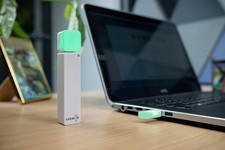
Download Luxafor software. Then connectLuxafor Bluetooth to your PC or Mac by plugging the Dot into the Power Bank,and the Dongle into the USB port of your computer (or a hub connected to yourcomputer). Wait for the devices to connect and enjoy!
Will Luxafor Bluetooth PRO work with my computer?
You can use Luxafor Bluetooth with anycomputer that runs the following OS:
Windows:
Windows 7
Windows 8
Windows 8.1
Windows 10
Mac:
Mountain Lion
Mavericks
Yosemite
El Capitan
Sierra
Mojave
Catalina
Android:
Android 5 (Android Lollipop)
Android 6 (Android Marshmallow)
Android 7 (Android Nougat)
Android 8 (Android Oreo)
Android 9 (Android Pie)
and higher
Will Luxafor Bluetooth PRO work with my iPhone?
Yes, Luxafor does provide an app for iOS.
Is the Power Bank included?
Yes, the Luxafor Bluetooth PRO has a built-in battery
Does Luxafor Bluetooth PRO come with a warranty?
Yes, Luxafor products have a standard 2 yearwarranty.
What are the lead times?
Normally you shall get your order in the USwithin 5-10 working days as we dispatch from our US-based Warehouse. All EU andrest of the world orders are to be delivered in about 25 working days and beingdispatched from our Warehouse based in Riga, Latvia.