When you click on links to various merchants on this site and make a purchase, this can result in this site earning a commission. Affiliate programs and affiliations include, but are not limited to, the eBay Partner Network.
FREESHIPPING in the Continental U.S. only.
INTRADAY MOMENTUM WATCHLIST COLUMN PACK FOR THINKORSWIM® — RANK STRONGER STOCKS FASTER WITHOUT FLIPPING THROUGH ENDLESS CHARTS
If you already use thinkorswim® to scan for stocks, then you already know one of the biggest problems traders face:
Getting a list of symbols is only the beginning.
You still have to decide:
- Which ones actually look strong?
- Which ones have real momentum?
- Which ones have the volume to matter?
- Which ones are trending properly?
- Which ones are still in a good location instead of already being too stretched?
That is exactly what this Intraday Momentum Watchlist Column Pack for thinkorswim® is designed to help with.
This custom watchlist column pack helps traders sort, rank, and prioritize stronger intraday momentum candidates faster inside their watchlists, so they can spend less time bouncing from chart to chart and more time focusing on the names that actually deserve attention.
This is a ranking and prioritization tool built for traders who want a cleaner, faster, more organized morning workflow.
WHAT THIS PRODUCT IS
This is a custom watchlist column pack for thinkorswim® desktop.
It is designed to be added as Custom Quote / custom watchlist columns inside a thinkorswim watchlist.
This product does not automatically populate a watchlist by itself and it is not a scanner.
Instead, it is designed to help traders take tickers they already have in a watchlist — whether from Stock Hacker, a personal watchlist, or another process — and then rank those symbols more intelligently.
In plain English:
You bring the list of tickers.
This pack helps you sort the stronger names to the weakest, based on the categories we are about to mention.
WHAT INTRADAY TRADERS ARE LOOKING FOR
Most intraday traders are not just looking for random movers.
They are looking for stocks that have:
- Momentum
- Volume
- Trending behavior
- Great location
That is exactly what this pack is built around.
The goal is simple:
Help traders identify which stocks look strongest and most actionable right now.
INCLUDED COLUMNS
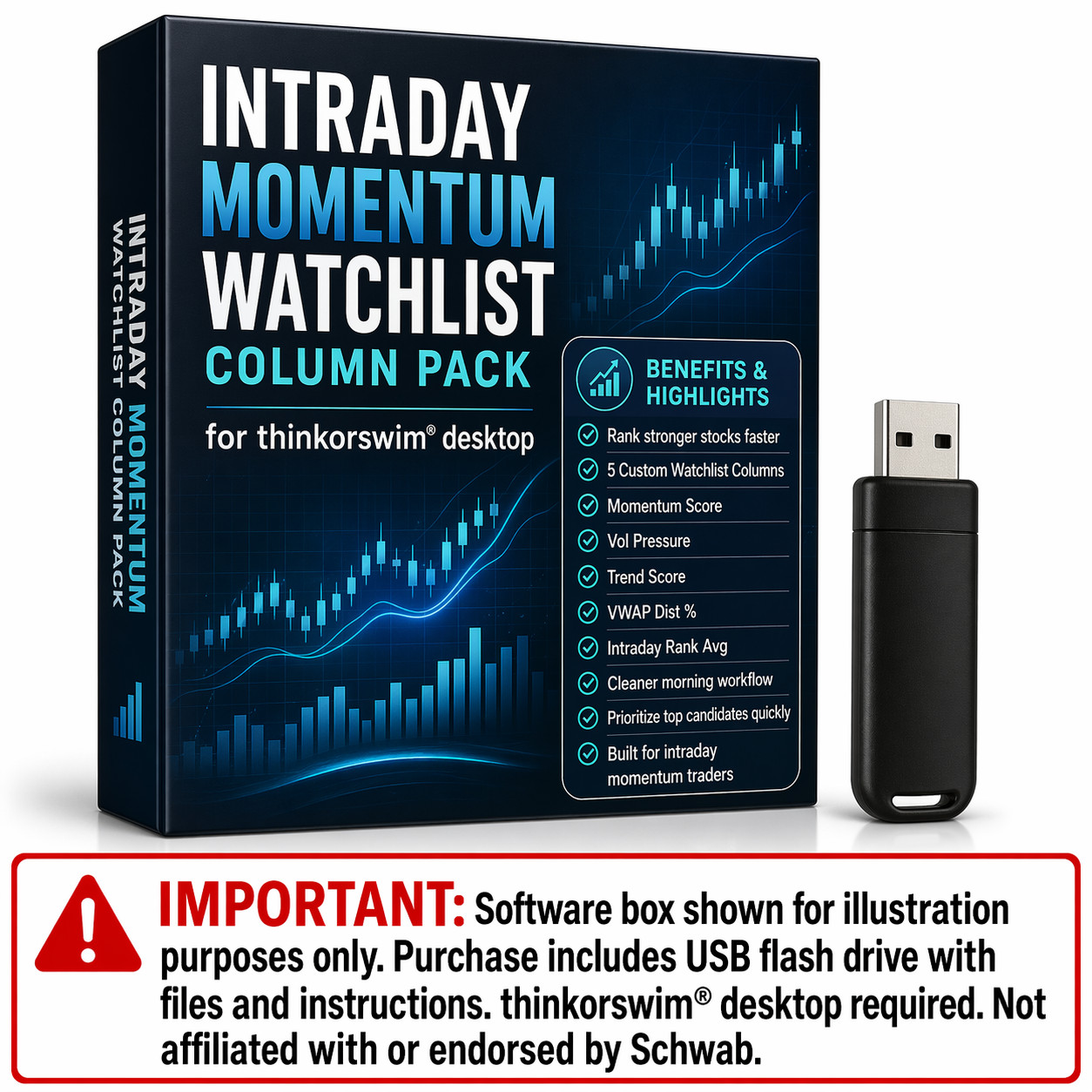
This pack is built around 5 focused columns designed specifically for intraday momentum ranking.
1. MOMENTUM SCORE
This column helps measure the overall strength of current momentum.
It looks at factors such as:
- candle body strength
- close strength
- range expansion
- volume participation
- bullish structure support
In other words, it helps answer:
“Is this stock actually showing strong momentum right now?”
A higher Momentum Score means the stock is showing stronger current price action quality.
This is one of the most useful columns for quickly identifying names that are not just moving, but moving with better force and structure.
Why traders like it:
- Helps separate stronger movers from weaker ones
- Highlights better-quality momentum behavior
- Gives a faster read on current price strength
2. VOLUME PRESSURE
Volume matters.
A stock can move a little on light activity, but stronger intraday opportunities usually attract real participation.
Vol Pressure measures how current volume compares to recent average volume.
This helps traders quickly see:
- which stocks have stronger participation
- which names are drawing real attention
- which moves may have more conviction behind them
In plain English:
“Is volume actually backing up this move?”
That matters because strong momentum without participation can be weak, thin, and easier to fade.
Why traders like it:
- Helps identify stocks that are actually in play
- Helps filter out weaker, low-participation moves
- Useful for ranking stronger active names faster
3. TREND SCORE
Momentum is stronger when it is moving in the right structure.
Trend Score helps show whether the stock is aligned with bullish intraday structure by looking at relationships such as:
- price vs VWAP
- price vs short-term EMA
- fast EMA vs slower EMA
This helps answer:
“Is this stock trending in a way that supports the move?”
A stock can have a nice candle, but if it is fighting weak structure, it may not be as attractive.
Trend Score helps you prioritize names that are better aligned with bullish intraday conditions.
Why traders like it:
- Helps identify cleaner trending setups
- Adds structure context instead of looking at candle action alone
- Helps avoid weaker names that are not properly aligned
4. VWAP DIST %
Location matters.
A stock may look strong, but if it is already too far above VWAP, it may be getting stretched and less attractive from an entry standpoint.
VWAP Dist % helps traders quickly see how far price is from VWAP.
This can help answer:
“Is this stock still in a reasonable location, or is it getting too extended?”
That is a very practical question for intraday traders.
A stock that is strong but still in a better location can often be more appealing than a stock that is strong but already far gone.
Why traders like it:
- Helps reduce chasing overextended names
- Helps identify cleaner actionable location
- Adds practical context to momentum and trend
5. INTRADAY RANK AVG
This is the master ranking column of the pack.
Intraday Rank Avg blends the key categories together:
- Momentum Score
- Vol Pressure
- Trend Score
- VWAP-based location logic
Then it smooths that score over recent bars to create a cleaner and more stable ranking column.
Why is that important?
Because in a fast market, raw values can jump around quickly. A stock may look great one bar and drop the next, then climb again. That kind of noise can make watchlists harder to sort and harder to trust.
Intraday Rank Avg helps solve that by providing a smoother ranking approach.
This helps traders answer the question:
“Which stocks have been showing the strongest overall intraday quality recently?”
This is the column many traders will likely sort by first.
Why traders like it:
- Cleaner and less noisy than relying on one raw current-bar number
- Helps sort stronger names toward the top
- Makes fast watchlists easier to read
- Can improve morning workflow and decision speed
WHY THIS PACK IS USEFUL
A lot of traders already have scans.
What they do not always have is a clean way to rank and prioritize the names those scans produce.
That is where this pack helps.
Instead of staring at a list of symbols and asking:
“Which one do I open first?”
this pack gives traders a more structured answer.
Typical use:
- Run a Stock Hacker scan or load a watchlist
- Apply the custom watchlist columns
- Sort by Intraday Rank Avg
- Check supporting columns like Momentum Score, Vol Pressure, Trend Score, and VWAP Dist %
- Open the strongest-looking charts first
This can help traders:
- work faster during the market open
- reduce manual chart flipping
- build cleaner morning watchlists
- prioritize stronger candidates more intelligently
- create a more repeatable intraday workflow
WHO THIS IS FOR
This pack is a strong fit for traders who:
- use thinkorswim® desktop
- trade intraday momentum
- use Stock Hacker watchlists or personal watchlists
- want a faster way to prioritize candidates
- want help identifying stronger momentum names
- want a cleaner morning trading workflow
- are tired of guessing which stocks deserve attention first
WHAT THIS PRODUCT IS NOT
This is not:
- a scanner
- an auto-trading system
- a guaranteed signal generator
- a promise of profits
It is a watchlist ranking and prioritization tool.
Its job is to help you sort and organize symbols that are already in a watchlist more intelligently.
DELIVERED IN A USB FLASH DRIVE CONTAINING
- custom thinkScript watchlist column code files
- explanation file describing what each column does
- installation / usage guide for thinkorswim® desktop
- instructions on how to apply the columns and use them together
REQUIREMENTS — PLEASE READ BEFORE BUYING
You will receive a USB-A flash drive. If your computer only has USB-C ports, you may need an adapter (not included).
You must already have an active thinkorswim® desktop account. Platform access is not included.
This product is for thinkorswim desktop only. It is not for mobile and not for other brokers or platforms.
Buyers should already be reasonably familiar with thinkorswim®, including how to:
- use watchlists
- create and add Custom Watchlist columns
- paste code into thinkScript
- save and manage custom watchlist columns
PARAMETER ADJUSTMENT & TESTING
These columns are tools for ranking and organizing, not guarantees of performance.
There is no single score threshold that works perfectly on every ticker, every timeframe, and every market condition.
For best results:
- test the columns on the types of stocks you actually trade
- use them alongside your chart analysis and risk management
- experiment with sorting and review workflow
- revisit your process as market conditions change
IMPORTANT DISCLAIMER
This product is provided for educational and informational purposes only and does not constitute financial, investment, or trading advice.
There are no guarantees of profit, accuracy, or performance.
You are solely responsible for your own trading decisions, position sizing, and risk management.
Trading involves substantial risk and can result in loss of capital.
The seller/creator cannot and does not accept responsibility for trading losses or damages of any kind that may result from the use of this product.
TRADEMARK / AFFILIATION NOTICE
thinkorswim® and any broker names mentioned are trademarks of their respective owners. This product is not affiliated with, endorsed by, or sponsored by Schwab, TD Ameritrade, or any broker.
IMAGE / MOCKUP NOTE
Software box shown in listing images is for illustration purposes only. Purchase includes USB flash drive with files and instructions.