When you click on links to various merchants on this site and make a purchase, this can result in this site earning a commission. Affiliate programs and affiliations include, but are not limited to, the eBay Partner Network.
USPS Ground Advantage or First Class FREE SHIPPING in the Continental U.S. only.
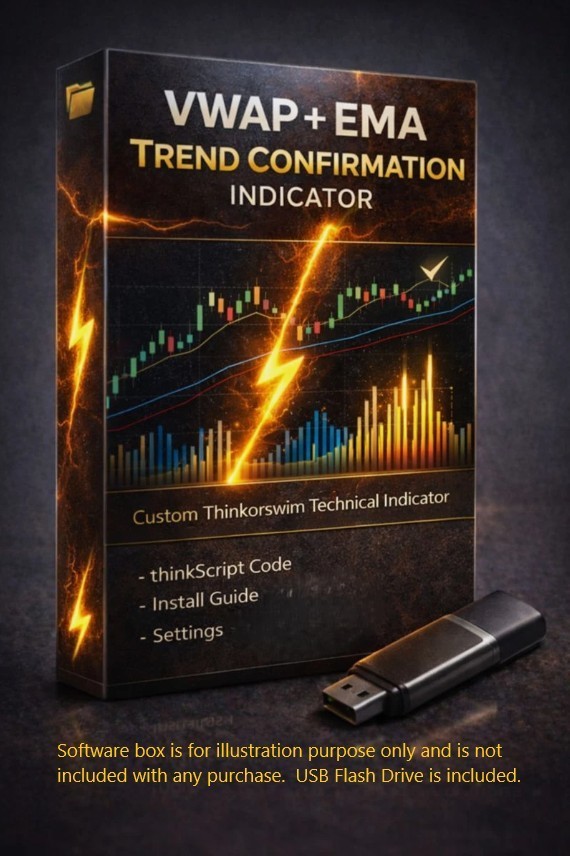
🚀Introducing ourVWAP + EMA Trend Confirmation Custom Technical Indicator Designed for Long Traders for the thinkorswim trading platform
If you day trade stocks and feel like good setups randomly fail, entries feel late, or you’re constantly fighting chop, this indicator was built to solve that exact problem.
The VWAP + EMA Trend Confirmation Indicator combines two of the most trusted intraday tools on thinkorswim for LONG-SIDE BIAS TRADERS— VWAP and Exponential Moving Averages (EMAs) — into one clean, intelligently filtered study designed to help day traders trade with the trend and not against it.
This indicator doesn’t try to predict the market.
It helps you confirm when conditions actually support a trade.
💡 Why Most Day Traders Struggle (And How This Helps)
Many Long traders focus only on entries…
but ignore trend alignment and fair value.
That’s when:
Breakouts fail
Pullbacks don’t hold
Stops get hit repeatedly
This indicator helps you stay aligned with institutional price levels and trend structure, so you’re not guessing — you’re confirming.
✅ What This Indicator Helps You Do
Trade with the trend, not against it
Avoid late, over-extended entries
Reduce emotional and impulsive trades
Filter out low-quality setups in choppy markets
Focus only on trades that align with VWAP and EMA structure
🔹 Why VWAP + EMA Is So Powerful✔ VWAP — Institutional Fair Value
VWAP is one of the most respected intraday reference levels used by professional traders. It represents fair value for the session and helps identify whether price is trading at a premium or discount.
✔ EMAs — Trend Structure & Momentum
Exponential Moving Averages help define trend direction and structure. When EMAs are aligned, they act as dynamic support and resistance and keep you on the right side of momentum.
✔Flexible Trend Confirmation
The indicator is designed around VWAP + EMA trend structure, but several confirmation filters are fully adjustable.
Depending on your settings, signal conditions can include:
- Price interaction with VWAP
- EMA trend alignment
- Optional EMA stacking requirement
- Optional rising VWAP slope confirmation
- Optional volume confirmation
- Optional No-Chase filter
- Adjustable candle strength and wick requirements
This allows you to make the indicator more selective or more permissive depending on your trading style, ticker, timeframe, and market conditions.
Signals update in real time and may change until the candle closes. Always wait for confirmation and use with your own strategy.
***PLUS....this study has Adjustable Candle Strength & Quality Filters***
This indicator does not treat all green candles equally.
To help filter out weak or low-quality signals, the strength and structure of the signal candle is fully adjustable, including:
Minimum candle body size relative to ATR
(Example: require the candle body to be at least 50% of the current ATR)
Minimum portion of the candle body closing above VWAP
(Helps ensure real acceptance above fair value, not just a brief poke)
Upper wick control
(Optional filter to avoid rejection candles with excessive wicks)
These filters help ensure that only strong, committed green candles are eligible for signals — not weak, indecisive moves.
All thresholds are adjustable inside Thinkorswim, allowing you to tune the indicator for:
✔ Fast momentum days
✔ Slower, choppy sessions
✔ Different symbols or volatility regimes
🔹 Clean, Filtered Long-Signal Arrows
A green up arrow can appear when the core VWAP and candle requirements are met and any optional confirmation filters you have enabled also pass.
Depending on your settings, signal conditions include:
✔ Bullish candle crossing above VWAP
✔ Adjustable minimum portion of the candle body above VWAP
✔ Adjustable candle strength relative to ATR
✔ Adjustable upper-wick requirement
✔ Optional EMA stacking confirmation
✔ Optional rising VWAP slope confirmation
✔ Optional volume confirmation
✔ Optional No-Chase filter to help avoid extended entries
This allows you to control how selective or permissive the signal requirements are.🔹 The “No-Chase” Advantage (Huge for Day Traders)
One of the most common mistakes day traders make is entering after the move is already overextended.
The optional No-Chase filter:
Identifies when price has moved too far from VWAP
Encourages disciplined entries
Helps improve consistency over time
Many traders find this feature alone makes a noticeable difference.
🔹 Trend Bias & Market Awareness
Clear Bull / Bear / Neutral bias labels help you instantly recognize:
When long trades are favored
When conditions are mixed or weakening
When it’s smarter to stand aside
This is especially useful for avoiding over-trading and low-probability conditions.
⚙️ Fully Adjustable – Not a Black Box
Every major component is fully adjustable inside thinkorswim for this custom indicator:
You control how conservative or aggressive the indicator behaves.
⏰ IMPORTANT: VWAP Modes & Time Settings (Please Read)
- VWAP includes Extended Hours data
- Start/End inputs do not change the VWAP line
- When RTH-Only for Signals = Yes, Start/End inputs define when signals are allowed to trigger
RTH-Only
- VWAP resets at the entered RTH Start time using Eastern Time (ET)
- Pre-market and after-hours data are excluded from the RTH VWAP
- Start/End inputs define the RTH session used for the VWAP
- When RTH-Only for Signals = Yes, those times also define the signal window
⏱IMPORTANT: START / END TIME SETTINGS
The Start Time and End Time inputs are fully adjustable.
Important: These time inputs use the Eastern Time basis used by thinkScript time functions, regardless of your computer's local time zone. Schwab's thinkScript documentation specifies that SecondsFromTime() and SecondsTillTime() use Eastern-time values.
For the standard U.S. stock-market regular trading session, use:
- RTH Start: 0930
- RTH End: 1600
These values represent 9:30 AM to 4:00 PM Eastern Time.
For example, if you are in the Central Time Zone, the regular market session appears on your clock as 8:30 AM to 3:00 PM Central, but you would still enter 0930 and 1600 in these study inputs.
You may adjust the Start and End inputs to create a different signal window. Simply enter the desired times using their Eastern Time equivalent.
RTH + Extended Hours Mode:
Start/End inputs control when signals are allowed to trigger. They do not change the full-session VWAP calculation.
RTH-Only Mode:
The Start/End inputs affect the RTH session used by the study, including the VWAP calculation and signal window.
This is normal Thinkorswim behavior and is explained in the included guides.
🔹 IDEAL FOR:
✔ Long-Side Day traders
✔ Momentum traders
✔ VWAP traders
✔ EMA traders
✔ Traders struggling with chop
✔ Traders who want fewer, higher-quality trades
PLEASE NOTE: Chart screenshots may show additional studies, indicators, or diagnostic labels from the seller’s personal Thinkorswim chart setup. These additional studies are not included with this purchase. This listing includes only the VWAP + EMA Trend Confirmation Indicator described above.
📦 What You’ll Receive with This Purchase
This purchase includes everything you need to install, understand, and use the VWAP + EMA Trend Confirmation Custom Technical Indicator on Thinkorswim.
- ThinkScript Code File -The full, editable ThinkScript study code
- Installation Guide (Step-by-Step) -Clear instructions on how to import the study into Thinkorswim
- Read Me File-What the indicator does (and what it does NOT do). Core logic behind the custom indicator
- “How I Use It” Guide - A practical, real-world guide explaining: How this indicator is typically used in day trading, How to interpret signals and bias labels, How to adjust settings for different market conditions, Common mistakes to (READ BEFORE BUYING)***********************
- You will be receiving aUSB-A flash drive with this purchase. USB-A flash drive works inUSB 3.0 and USB 2.0ports (backward compatible). If your computer only hasUSB-Cports, you may need a USB-C to USB-A adapter (not included).
You must already have anactive thinkorswim® account(Schwab / TD Ameritrade). Platform access isnotincluded.
This indicator is for thethinkorswim desktop platform only(not mobile, not other brokers/platforms).
Buyers should already bereasonably familiar with thinkorswim, including how to:
For best results:
This custom indicator was built for Long Traders. You should back-test or paper tradethe indicator with your own strategy. Re-tune inputs as markets change.
Backtest this study thoroughlyto ensure it behaves the way you expect to fit your strategy
- There isno single “magicsetting”that works perfectly on every ticker and timeframe.
TRADING IS RISKY, SO ALWAYS use proper & safe risk management.Trade with a defined risk level (stop loss or max dollar risk). Never risk money you cannot afford to lose.
Important DisclaimerLike any technical indicator, this can and will produce false signals, losing trades, and whipsaws.
There are no guarantees of profit, accuracy, or performance. Past performance is not indicative of future results.
This product is provided for educational and informational purposes only and does not constitute financial, investment, or trading advice.
You are solely responsible for your own trading decisions, parameter choices, position sizing, and risk management. Trading involves substantial risk and can result in loss of capital.
thinkorswim® and any broker names mentioned are trademarks of their respective owners. This product is not affiliated with, endorsed by, or sponsored by Schwab, TD Ameritrade, or any broker.
This indicator is provided for educational and informational purposes only. It is not financial advice. The seller/creator cannot and does not accept any responsibility for trading losses or damages of any kind that may result from its use. You are fully responsible for your own trades and risk.You are solely responsible for your own trading decisions, position sizing, and risk management. It is strongly recommended that you always trade with a clearly defined risk level (such as a stop loss or maximum loss per trade). The seller/creator cannot be held responsible for any trading losses or damages that may occur from the use of this indicator.