Heat.net Store Home
|
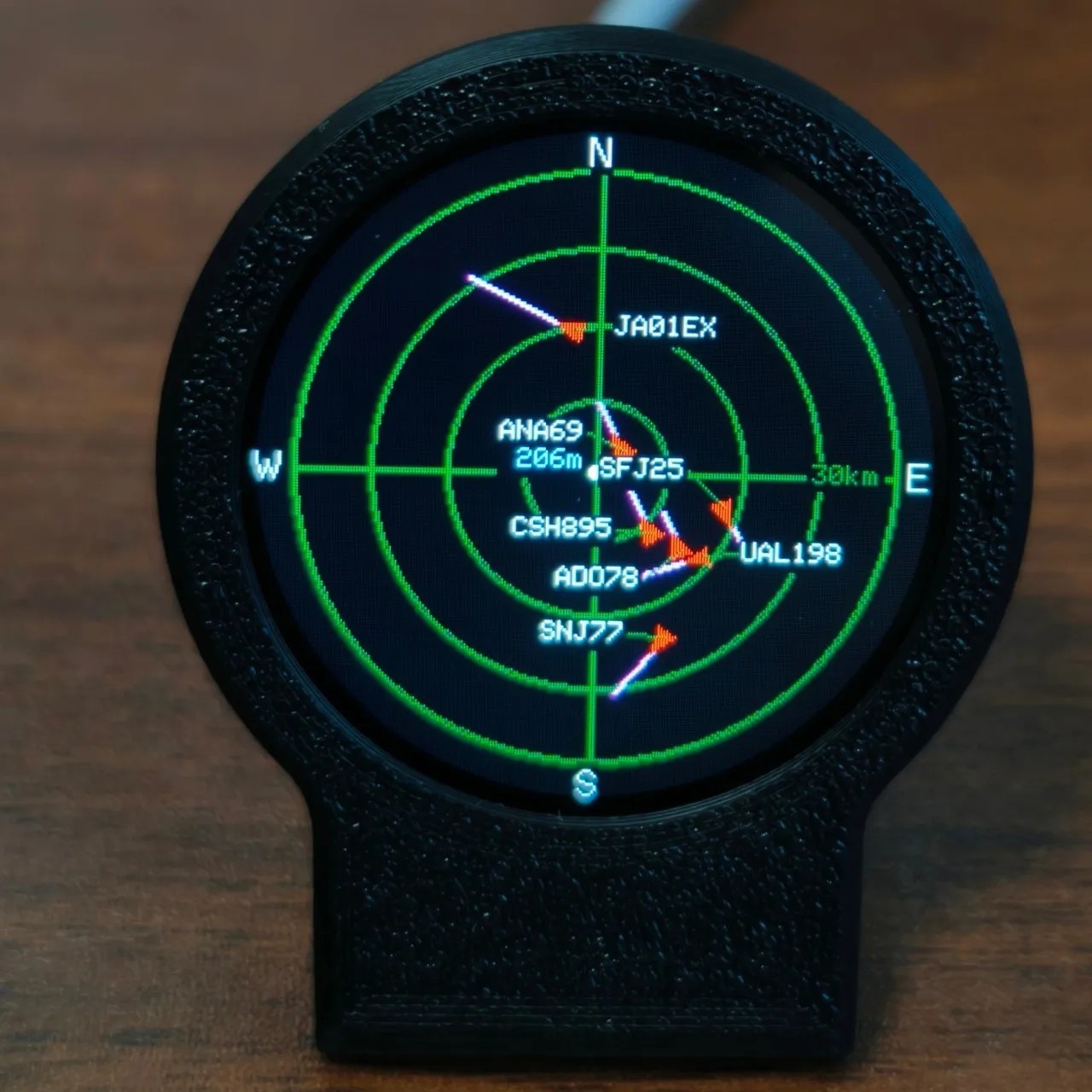
USB-C ADS-B Live Flight Tracker Radar Display Aviation Desk Gadget 3D Case For Sale

When you click on links to various merchants on this site and make a purchase, this can result in this site earning a commission. Affiliate programs and affiliations include, but are not limited to, the eBay Partner Network.

USB-C ADS-B Live Flight Tracker Radar Display Aviation Desk Gadget 3D Case:
$66.18
- Modern aviation-themed desk gadget The USB-C Deskradar is a sleek flight tracker with a sonar grid screen, designed as a unique aviation desk decor. It combines functionality with futuristic style for aviation enthusiasts and tech lovers alike.
- Real-time ADS-B flight tracking Equipped with live ADS-B technology, this gadget displays real-time flight data, showing aircraft positions and movements on a dynamic 3D grid screen for an immersive experience.
- 3D printed durable case Featuring a custom 3D printed case, the device offers a lightweight yet sturdy build. The black finish enhances its modern look, making it a standout addition to any workspace.
- Compact and lightweight design With a package size of 10 x 10 x 5 cm and a weight of 0.100 kg, this gadget is easy to place on desks or shelves without taking up much space.
- Universal USB-C connectivity Powered via USB-C, the device ensures easy and fast connection to laptops, power banks, or chargers, supporting seamless operation with minimal setup.
DeskRadar — Your Personal Desktop Aircraft Radar 1. Download firmware
2. Open web.esphome.io in your computer browser, press and hold the button on the back, and insert the data cable already connected to your computer to prepare for flashing the firmware.
3. Click Connect, and select the USB JTAG COM device in the pop-up window.
4. After the device is connected, click the small arrow next to the blue button to upload.
5. Select the firmware package that you placed on your desktop in step 1.
6. Click Upload. After the upload is complete, plug and unplug the power cable once. If the screen displays the firmware, the update is successful.
7. If the update fails, press and hold the button on the back and plug the cable back into the computer, then start from step 3 again.
|
|
Other Related Items:
Related Items:
USB-C ADS-B Live Flight Tracker Radar Display Aviation Desk Gadget 3D Case $66.18

ADS-B Receiver Accessory 1090MHz ADS-B Filter for usb-c Powered 1090MHz Band $16.31

ADS-B Receiver Accessory 1090MHz ADS-B Filter for usb-c Powered 1090MHz Band $17.23
|